
Primavera P6 Training in Bangalore
Primavera P6 Training in Bangalore at CADD Mentors. Learn project scheduling, resource management and progress tracking for construction and infrastructure projects. Classroom and online.
Course Details
Primavera P6 Training
Duration
40 Hours
Mode
Classroom + Online
Software
Oracle Primavera P6, Primavera P6 Professional + more
Eligibility
Engineering / Design students · Professionals
Certificate
Included on completion
Delivery
HSR Layout · Online India
About This Course
Primavera P6 Training in Bangalore at CADD Mentors is a practical project scheduling course covering Oracle Primavera P6 — the industry standard for planning and controlling construction, infrastructure and EPC projects. This course teaches project engineers and planning professionals how to build schedules, manage resources, set baselines and produce progress reports using Primavera P6.
CADD Mentors provides Primavera P6 training from our HSR Layout centre in Bangalore. Classroom sessions run in small batches. Online training is available for students and professionals across India.
Best suited for:
Curriculum
What You Will Learn in Primavera P6 Training
Project lifecycle management concepts and planning methodology
Creating and organising projects using Primavera P6 interface
Work Breakdown Structure (WBS) setup and activity definition
Activity sequencing: finish-to-start, start-to-start, lag and lead
Critical Path Method (CPM) scheduling and float calculation
Resource loading: labour, equipment and material assignment
Baseline creation, progress tracking and schedule updating
S-curve generation and earned value analysis basics
Delay analysis and schedule recovery planning
Exporting schedules to PDF and Excel for reporting
Course Structure
Primavera P6 Training — Syllabus Modules
Module 1 – Project Management Fundamentals
Project lifecycle phases, planning concepts, scheduling terminology and introduction to Primavera P6.
Module 2 – Project Setup and WBS
Creating a new project, setting calendars, work breakdown structure and activity codes.
Module 3 – Scheduling Activities
Activity types, durations, relationships and sequencing logic for a real construction project scenario.
Module 4 – Critical Path and Float
Forward and backward pass calculations, critical path identification, total float and free float.
Module 5 – Resource Management
Resource dictionary setup, resource assignment, levelling and resolving over-allocation.
Module 6 – Baseline and Progress Tracking
Setting a project baseline, updating progress, earned value concepts and variance reporting.
Module 7 – Reporting and Communication
S-curve generation, schedule reports, histogram views and exporting to PDF and Excel.
Module 8 – Project and Review
End-to-end project exercise: set up, schedule, resource-load, baseline and report on a construction project.
Not sure if this course is right for you?
Talk to a counsellor before you enrol - no commitment required.
Hands-On Learning
Course Project Examples
These are example project tasks you will practise during the training. Visuals are illustrative — they represent the type of work covered, not actual student output.
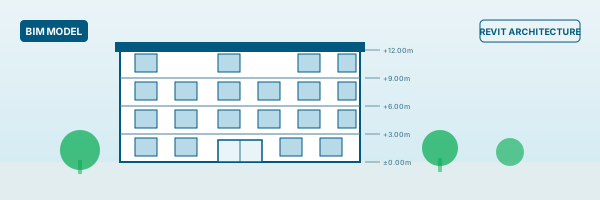
Residential Building Schedule
Project ManagementResidential Building Schedule
Build a complete schedule for a multi-storey residential project covering foundation, structure, finishes and MEP activities.
Project Management
Infrastructure Project Planning
Project ManagementInfrastructure Project Planning
Create a road or bridge construction schedule with activity logic, resources and milestone tracking.
Project Management Schedule Delay Analysis
Project ManagementSchedule Delay Analysis
Analyse an as-built schedule against a baseline to identify delays, calculate impact and prepare a recovery plan.
Project ManagementIs This Course for You?
Who Should Join Primavera P6 Training?
Civil engineering students preparing for site engineering or project coordination roles
Architecture and construction management students targeting planning positions
Site supervisors and junior project engineers who want to formalise scheduling skills
Working professionals in construction, EPC or infrastructure companies
Planning engineers who currently use Excel and want to move to P6
Quantity surveyors and billing engineers who work alongside planning teams
After the Course
Career Opportunities After Primavera P6 Training
These are roles and sectors where this software skill is typically valued. Job outcomes depend on your background, portfolio and other factors.
Planning engineer in construction, EPC or infrastructure project companies
Project coordinator in real estate development or building contracting firms
Site engineer with scheduling and progress-tracking responsibilities
Project management consultant for infrastructure or industrial projects
Scheduling analyst in large construction project management offices
PMO analyst in engineering or energy sector organisations
Training Delivery
Classroom, Online and Flexible Training Options
Classroom Training — HSR Layout, Bangalore
CADD Mentors provides classroom training support from its HSR Layout setup in Bangalore. Batch availability is limited and sessions are scheduled on a batch basis. Learn more about our HSR Layout centre →
Online Training — Live Instructor-Led, Pan India
Online training is available for students who prefer to learn remotely. The same syllabus, projects and instructor support are provided online. Students from across India join our online programmes.
Software Resources
Official Software References
These links point to official software and product pages that can help learners understand the tools covered in this course.
Software names and product names are trademarks of their respective owners. CADD Mentors is an independent training provider and is not affiliated with or endorsed by these companies.
Support
Frequently Asked Questions - Primavera P6 Training
Is Primavera P6 training available in Bangalore at CADD Mentors?
What is Primavera P6 used for?
Who should learn Primavera P6?
Do I need prior project management knowledge to join?
What is the duration of the Primavera P6 course at CADD Mentors?
Is the Primavera course available online?
What software is covered in the course?
Start Your CAD Learning Journey with CADD Mentors
Speak with our counsellor, choose the right course for your goal and attend a free demo before joining.